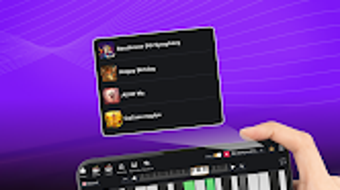

Download Piano Learn Keys Notes – piano learning, learn piano, piano keys, piano notes, music lessons, free piano app, beginner piano, piano tutorial, learn music, piano practice
Overview
Piano Learn Keys Notes is a dedicated educational tool designed to help users of all ages develop their piano-playing abilities from the comfort of their homes. The application focuses on teaching fundamental piano skills, including key identification, note recognition, and basic music theory, through structured and accessible lessons. It is particularly suited for beginners seeking a self-paced learning environment, as well as for casual learners who wish to explore different musical genres such as Classic, Pop, R&B, and Country. The app’s primary purpose is to bridge the gap between theoretical knowledge and practical application by offering interactive exercises and real-time feedback.
Users can engage with a full 88-key virtual keyboard that supports multi-touch input, enabling both hands to play simultaneously and simulating the experience of a real piano. This feature enhances muscle memory and coordination, critical for developing proper technique. The app also allows users to record their practice sessions, which can later be reviewed to track progress and refine timing, dynamics, and accuracy. The developer did not provide additional information about the organization behind the app, nor were there details on advanced features beyond the core learning modules.
Key Features & Capabilities
- Interactive 88-Key Virtual Keyboard: A full-sized digital keyboard with multi-touch support enables users to play complex pieces with both hands, promoting realistic hand coordination and finger independence.
- Genre-Based Lesson Library: The app includes a wide range of free lessons across multiple genres, allowing users to explore music styles that match their personal preferences and maintain motivation.
- Adjustable Learning Speed: Lessons can be slowed down or sped up to suit individual learning paces, making it accessible for beginners and adaptable for more advanced learners.
- MIDI Functionality: Users can import and export MIDI files, facilitating integration with external music software and enabling deeper exploration of music composition and arrangement.
- Practice Session Recording: The app records user performances, allowing playback for self-assessment and improvement through visual and auditory feedback.
- Customizable Themes and Styles: A selection of visual themes helps personalize the interface, enhancing user engagement and making the learning process more enjoyable for both children and adults.
These features collectively support a comprehensive learning journey, from foundational skills to more advanced performance techniques. For example, a beginner might use the adjustable speed feature to master a simple melody, while an intermediate player could use MIDI export to share a composed piece with a music community. The app’s design emphasizes accessibility and user autonomy, empowering learners to set their own goals and track their development over time.
User Interface, Workflow & Performance
The user interface is structured around intuitive navigation, with clear access to lessons, the virtual keyboard, recording tools, and settings. The layout is designed to minimize distractions, focusing attention on the core learning activities. Users can easily switch between different genres and difficulty levels, with minimal steps required to begin a new lesson or review a past session.
Workflow efficiency is enhanced by the seamless integration of the keyboard with the lesson system. As users progress through a lesson, visual cues guide finger placement and timing, helping to reinforce correct technique. The recording function is accessible with a single tap, and playback is smooth and responsive, though exact performance details were not specified.
The developer did not specify resource usage details, so general assumptions about CPU or RAM behavior cannot be made. Performance observations are based on general software behavior patterns. Stability during extended use was not documented, but the app’s focus on core functionality suggests a reliable experience under typical usage conditions.
Compatibility & System Requirements
Piano Learn Keys Notes is designed for Android devices, with version 1.0 released on March 15, 2024. The installation size is 45 MB, indicating a lightweight footprint suitable for most modern Android smartphones and tablets. The app supports a wide range of Android versions, though specific compatibility details were not listed.
Exact system requirements were not provided, so users should ensure their device meets standard Android app requirements. The developer did not specify hardware limitations, such as minimum processor speed or RAM capacity. Compatibility information is limited to the operating system, and users are advised to check their device specifications before installation.
Pros and Cons
Pros
- Free to download and use with no hidden costs
- Comprehensive lesson library across multiple music genres
- Adjustable learning speed for personalized pacing
- Full 88-key keyboard with multi-touch support
- Ability to record and review practice sessions
- Supports MIDI file import and export for advanced users
- Customizable themes to enhance user experience
Cons
- Developer information not publicly available
- No detailed system requirements provided
- Performance under heavy use not documented
- App is limited to Android platform
- Exact resource usage (CPU/RAM) not specified
FAQ Section
Is Piano Learn Keys Notes available for iOS devices?
The app is currently only available for Android devices. There is no information indicating future support for iOS platforms.
Is the app completely free to use?
Yes, the app is free to download and use. No in-app purchases or subscription fees were mentioned in the provided details.
Can I use the app without an internet connection?
While the app includes offline functionality for lessons and practice, certain features like lesson updates or cloud sync may require an internet connection. The exact offline capabilities were not specified.
Does the app support external MIDI controllers?
Based on the available information, the app supports MIDI file import and export, but compatibility with external hardware controllers was not confirmed.
How often are new lessons added to the app?
The release schedule for new content was not provided. Users should check the app store or developer updates for the latest additions.
Final Thoughts + CTA
Piano Learn Keys Notes delivers a well-rounded, accessible solution for individuals seeking to learn or improve their piano skills. Its combination of genre diversity, adjustable learning speeds, and robust recording tools makes it a strong choice for beginners and intermediate players alike. The inclusion of MIDI support and a full virtual keyboard enhances its utility for those interested in music composition and performance. While the lack of detailed system requirements and developer background limits transparency, the app’s core functionality remains solid and focused on user empowerment.
For anyone looking to explore piano in a flexible, self-directed manner—whether for personal enjoyment, educational purposes, or creative expression—this app offers a valuable starting point. It is especially well-suited for learners of all ages who prefer a structured yet customizable approach to music education.
Download Piano Learn Keys Notes now







